Loading Table of Contents...
Custom SEO-Optimized WordPress Website Design Solutions
WordPress website design guide. Providing professional web design services to help businesses optimize UX and boost conversion rates. Get a quote now!
WordPress website design is an optimal web-building solution based on the world's most popular open-source content management system (CMS). This article provides a detailed analysis of the website creation process from basic to advanced levels, while clarifying the technical standards that help the platform drive conversion rates. Mastering this knowledge helps businesses accurately determine their digital investment direction.
What is WordPress Website Design? Why is this platform so popular?
WordPress is an open-source content management system that allows users to build and develop websites without requiring complex programming knowledge. This platform currently dominates the global market share thanks to three core advantages: an intuitive administration interface, search-engine-friendly source code structure, and a massive ecosystem of extensions (Plugins).
Understanding the nature of this CMS helps businesses fully leverage the power of technology in their operations. As a result, companies can flexibly set up any online model, from a simple personal blog to large-scale e-commerce systems.
Basic WordPress Website Design Guide for Beginners
To help beginners or SME owners understand the operational process of designing a website with WordPress, we have systematized the implementation into 5 basic steps.
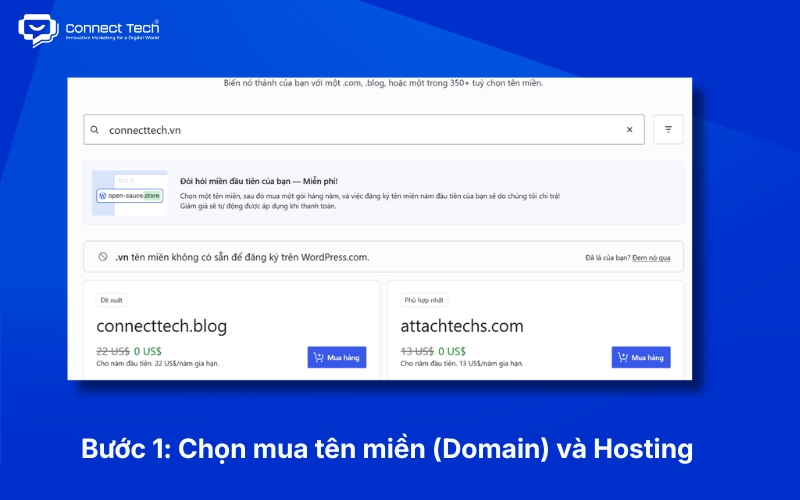
Step 1: Choose and purchase a Domain and Hosting that fit your needs
A domain acts as your brand's identification address on the internet, while Hosting serves as the physical server space storing all databases and source code. Users need to purchase a short, memorable domain name that contains their brand identity (e.g., .vn, .com).
For the hosting server, hardware configuration directly dictates page load speed and the ability to handle concurrent traffic.
Technical note: When selecting Hosting for WordPress, you should prioritize servers using SSD/NVMe drives, supporting LiteSpeed Web Server technology, and allocating a minimum of 2GB RAM to ensure the system processes database queries smoothly.
Step 2: Point the domain to Hosting and install the WordPress core
Administrators connect the domain to the server via the Domain Name System (DNS). Next, you use the built-in tools on the Hosting control panel (such as Softaculous or WordPress Toolkit) to initialize the database and install the core source code with just a few basic clicks.
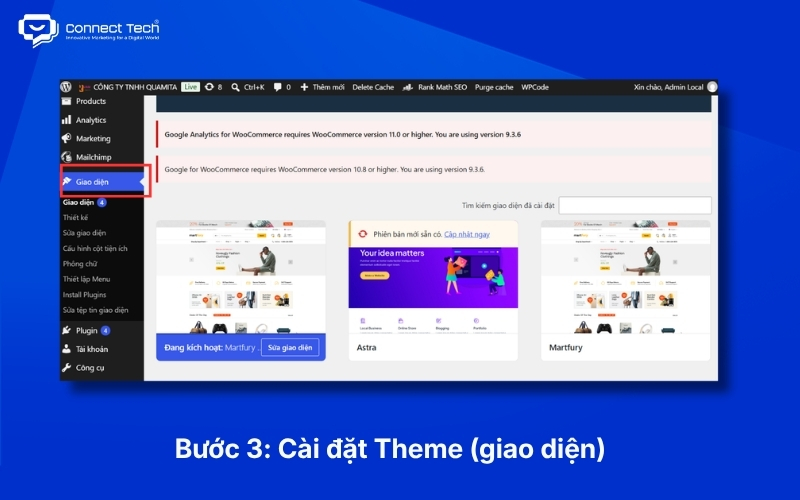
Step 3: Select, install a Theme, and customize brand identity
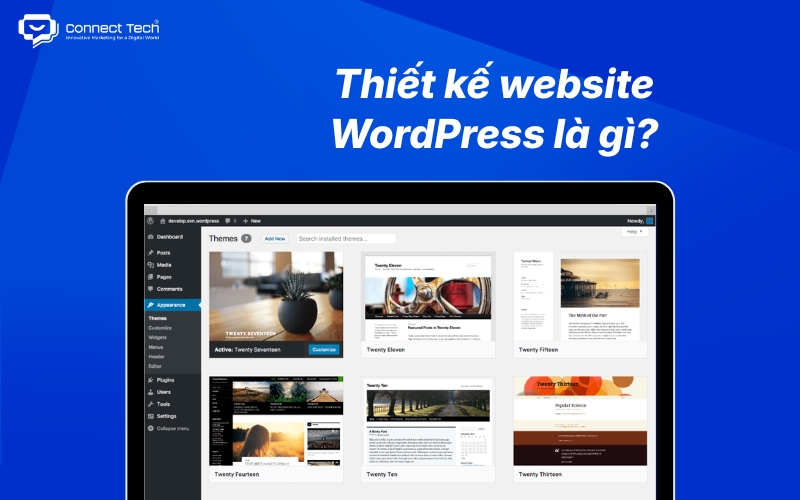
The Theme determines the layout structure and visual experience (UI/UX) for visitors. Administrators navigate to the Appearance section in the WordPress dashboard to search for and install Themes from the free repository, or upload .zip files if using a premium Theme.
The next crucial step is setting up the brand identity. Through the Customizer tool, users upload the business Logo, set the primary Color Palette, select Typography, and configure the display formats for mobile devices (Responsive Design).
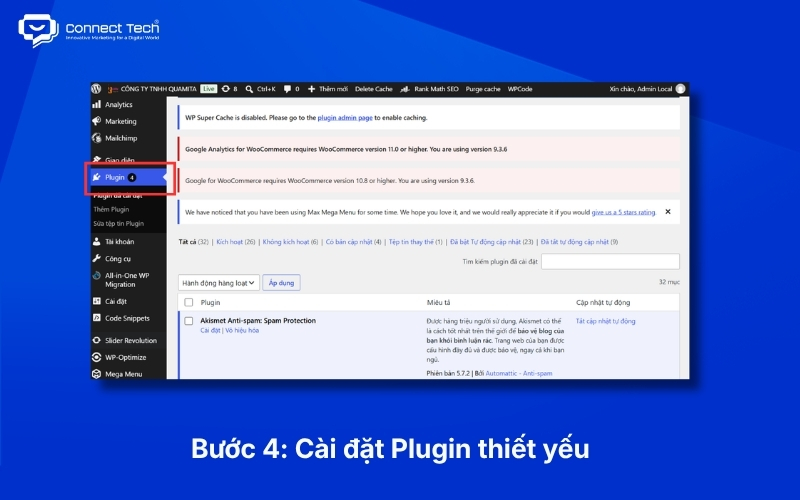
Step 4: Install essential Plugins to optimize the system
Plugins provide additional functional code snippets, expanding the power of the original WordPress platform. To ensure the website operates stably, securely, and is SEO-friendly, administrators need to install a group of basic utilities right from the initial setup phase.
|
|
|
|
|
|
|
|
|
|
|
|
|
|
|
|
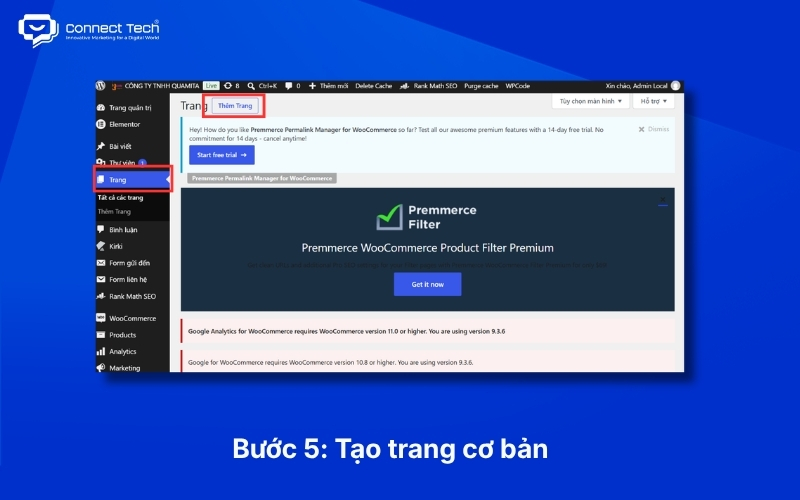
Step 5: Create basic pages, configure Permalinks, and launch the website
Before publishing content, the administrator must configure the static URL format (Permalinks). A standard URL structure (prioritizing the 'Post name' format) helps search engines easily understand page semantics and improves organic rankings.
Finally, you use the block editor (Gutenberg) or Page Builders like Elementor to set up the foundational landing pages. A standard corporate website needs to complete pages including: Homepage, About Us, Services/Products, and Contact.
Potential Risks of Free DIY WordPress Website Design
Building an online platform yourself using free resources often comes with severe limitations regarding security, performance, and scalability.
Numerous articles sharing tutorials on "how to design a free WordPress website" often create the illusion that this process is simple and cost-free. However, these materials only help you create a website that is technically "operational," not one that meets the standards of a "revenue-generating" system.
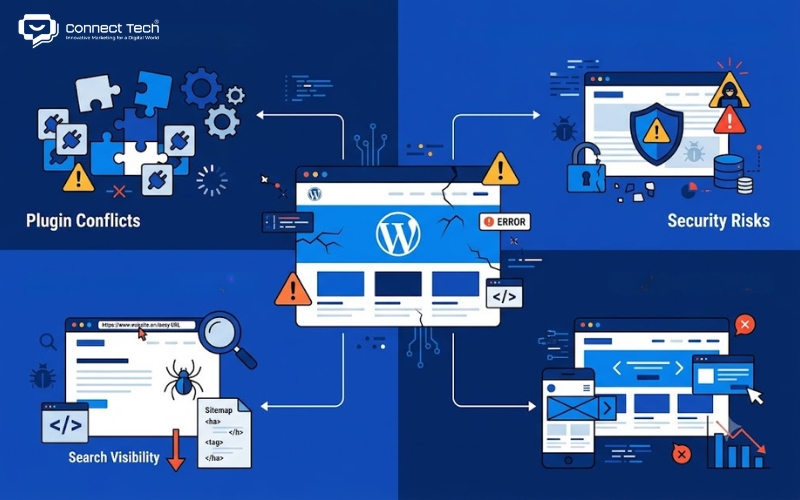
When deploying independently without an in-depth technological foundation, businesses are highly susceptible to the following critical technical "blind spots":
- Plugin abuse causing system conflicts: Beginners tend to install too many extensions to add features to the website. This action directly creates redundant code, causes database conflicts, and severely degrades Page Speed.
- Security vulnerabilities from free or Nulled Themes: Unofficial themes shared online harbor hidden malware. When activated, hackers can easily take control of the system, steal customer data, or insert spam links (toxic backlinks), leading to the domain being penalized by Google or blacklisted.
- Source code not optimized for search engines (Not SEO-friendly): A DIY website often lacks standard URL structure setups, lacks accurate XML Sitemaps, and fails to optimize Heading Tags. As a result, Google Crawlers face difficulties in crawling and indexing the content.
- Poor User Experience (UX/UI): Free themes are rarely optimized for specific industries. Customers visiting a website with confusing navigation flows or broken mobile displays will quickly leave. This directly increases the Bounce Rate and decreases the Conversion Rate.
To truly own a profitable sales channel that brings long-term brand value, businesses need a dedicated in-house web design team or must hire professional website design services externally. This is a mandatory investment for businesses with a sustainable growth mindset.
Website Design Services at Connect Tech
Connect Tech provides specialized online system building solutions, focusing on crafting flawless user experiences and maximizing conversion rates for businesses.
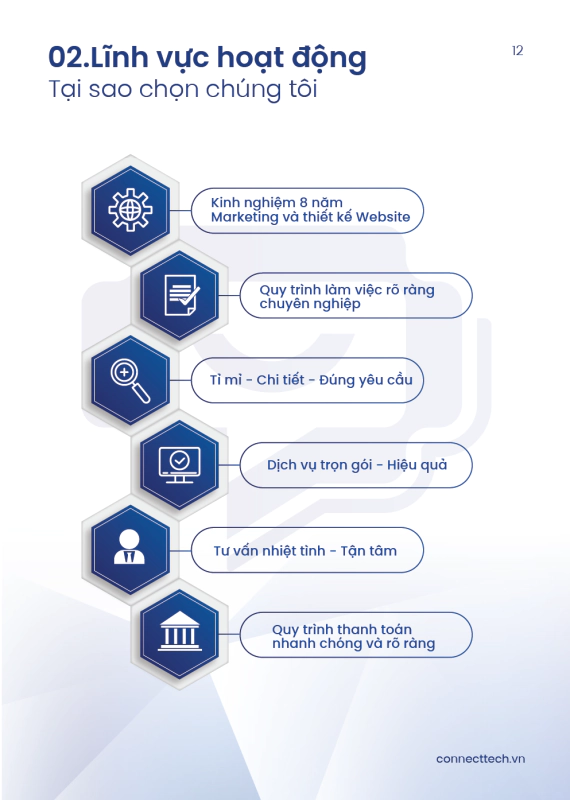
Connect Tech's core difference compared to conventional design agencies lies in our strategic mindset: The tight integration of Technology, Marketing, and Growth. We are not simply a WordPress website design provider, but a partner accompanying your business in comprehensively developing its digital marketing ecosystem.
Furthermore, we focus on development from the first user touchpoint to the final conversion point, alongside offering lifetime warranty support to ensure sustainable business growth, rather than just optimizing a single link like interface design.
- Technical SEO and Conversion Rate Optimization (CRO): We deeply intervene in the source code to ensure the system achieves high-performance scores on measurement tools like Google PageSpeed Insights. Every Call to Action (CTA) button and User Flow is designed based on actual behavioral data to drive purchasing behavior or Lead generation.
- Open system architecture, ready for synchronous integration: The system is ready to seamlessly connect (API Integration) with Customer Relationship Management (CRM) software, advertising measurement tools (Tracking Ads Pixel), and complex Enterprise Resource Planning (ERP) systems. Consequently, we have the capacity to accompany your business long-term throughout your operational process and future scalability.
Custom Website Design Solutions for Specific Needs
To meet diverse business objectives, our technology solutions are specialized to solve the specific challenges of each industry. Connect Tech provides two main solution groups, meticulously refined based on your business's operational characteristics.
E-commerce Website Design
This solution focuses maximally on building a seamless shopping User Flow, helping customers easily search for and select products. The system integrates a smart shopping cart, connects various domestic and international payment gateways, and synchronizes data with shipping carriers. Notably, the interface is designed to Mobile-first standards, ensuring a perfect shopping experience on all mobile devices, thereby increasing the direct closing rate on the platform.
Custom Website Design
For businesses with specialized operational models, using pre-made templates often falls short of operational demands. The custom design solution provides exclusive interfaces and feature systems, programmed specifically based on the rigorous requirements of each sector.
- Real Estate Website Design: System integrates interactive planning maps, advanced project search filters, online loan calculation tools, and professional project tour booking management systems.
- Interior Design Website Design: Platform optimized for displaying high-quality images, integrating Virtual Reality/Augmented Reality (VR/AR) technology to help customers experience living spaces intuitively, along with product color and material customization tools.
- Travel & Tourism Website Design: Website structure built in sync with complex online tour booking systems, Real-time room/ticket status management, and multi-currency payment gateways to serve international clients.
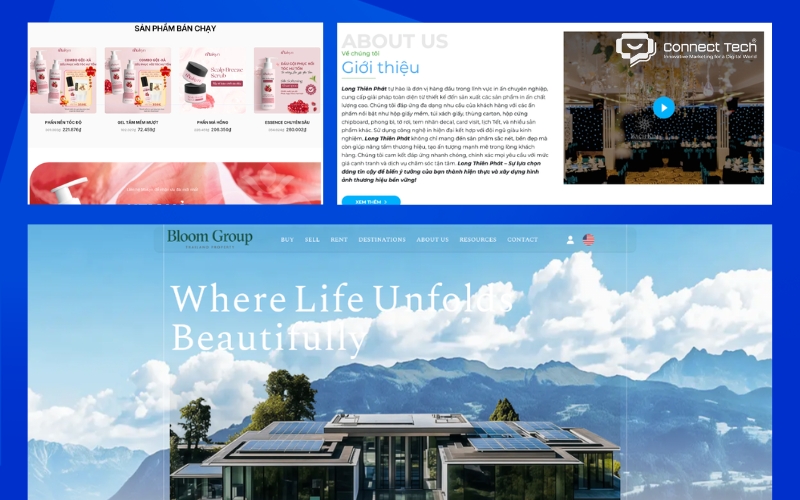
Actual data from completed projects is the clearest testament to Connect Tech's ability to solve business challenges.
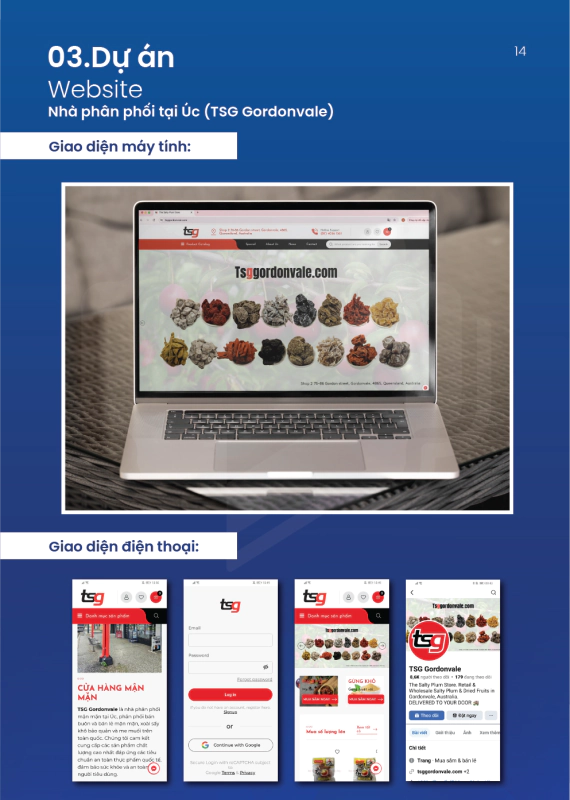
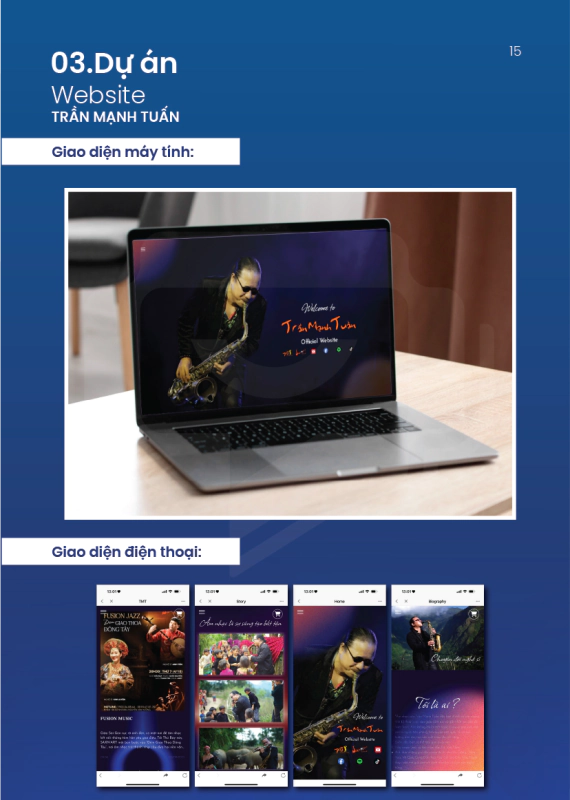
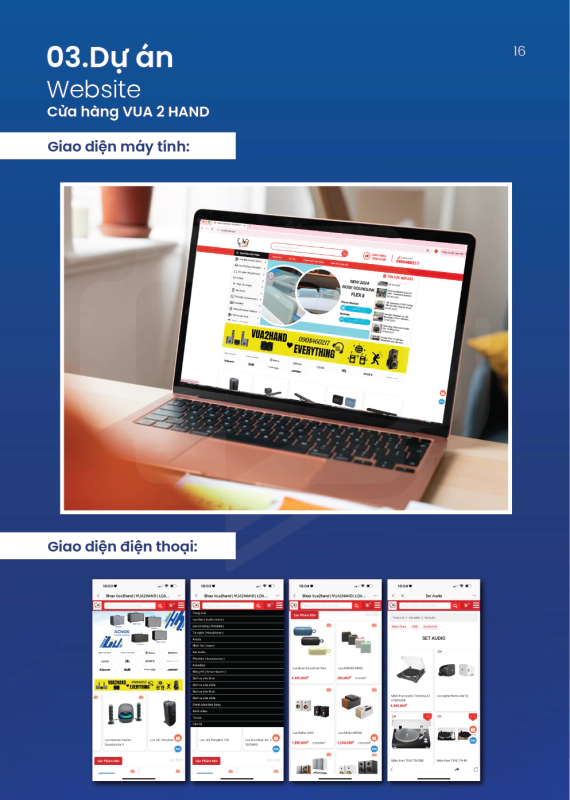
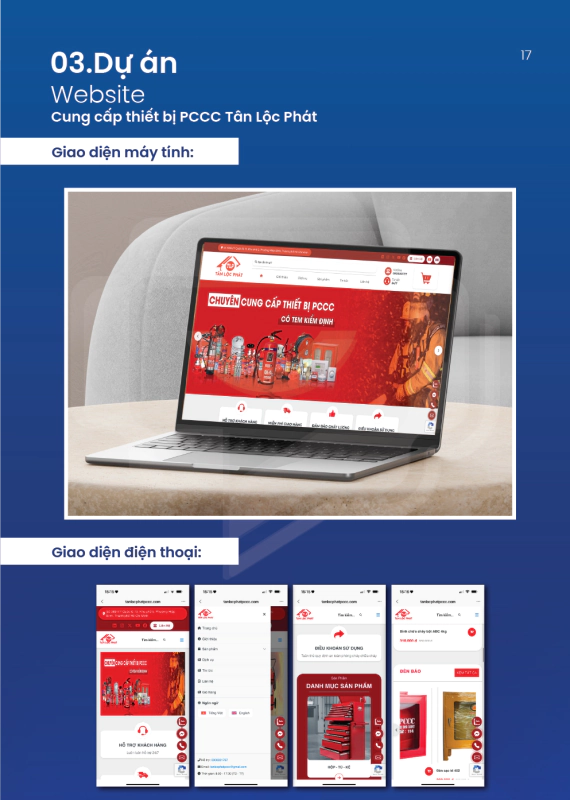
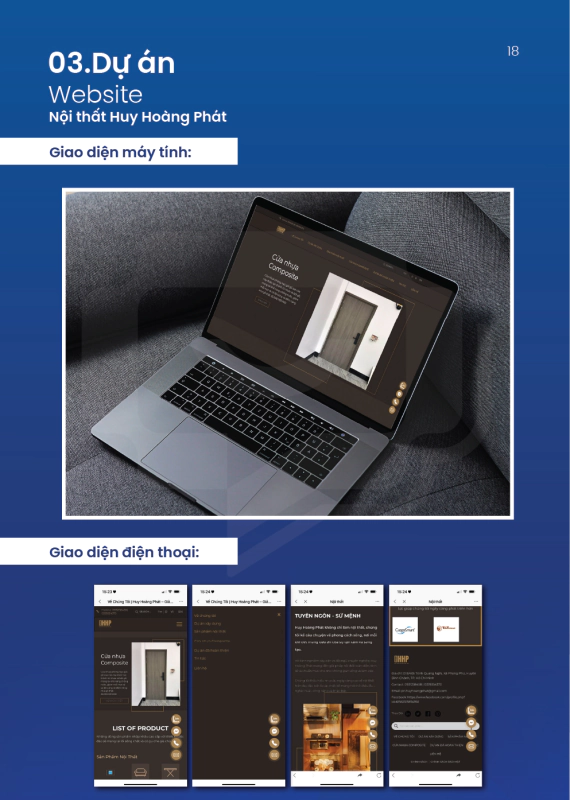
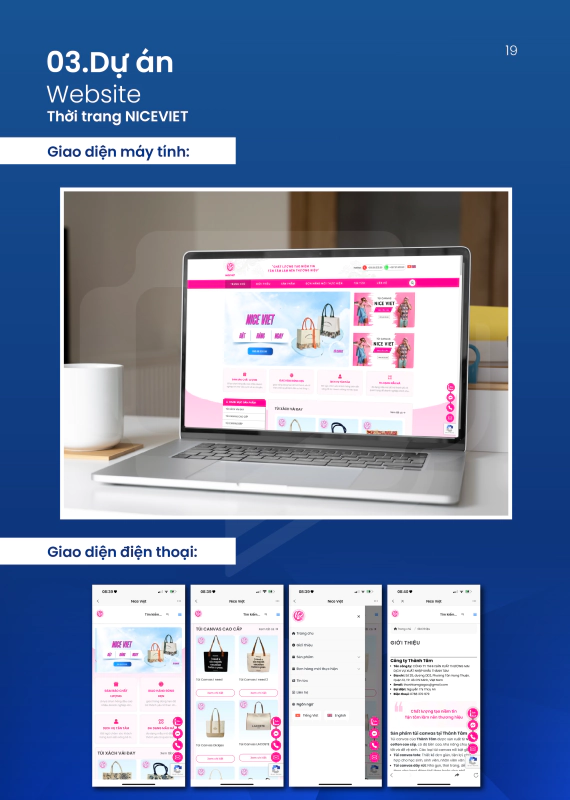
With experience successfully deploying 136+ websites for 225+ clients across 50+ different sectors, Connect Tech has helped numerous businesses digitally transform successfully. You can directly evaluate the actual interfaces, features, and user experiences through our list of typical projects on the Connect Tech Case Study page.
Reference Pricing for Website Design at Connect Tech
Many businesses often face risks when choosing cheap, floating WordPress website design packages on the market. These services frequently use pirated themes, cut corners on user experience (UX) research and performance testing, resulting in a system at risk of failing as soon as it launches.
Understanding this, Connect Tech offers website design services with costs starting from 6 million, 10 million, and 15 million VND, structured based on the actual value delivered with a strict commitment to no hidden fees.
|
|
|
|
|
|
|
|
|
|
|
|
|
|
|
|
|
|
|
|
|
|
|
|
|
|
|
|
Professional Website Design Implementation Process
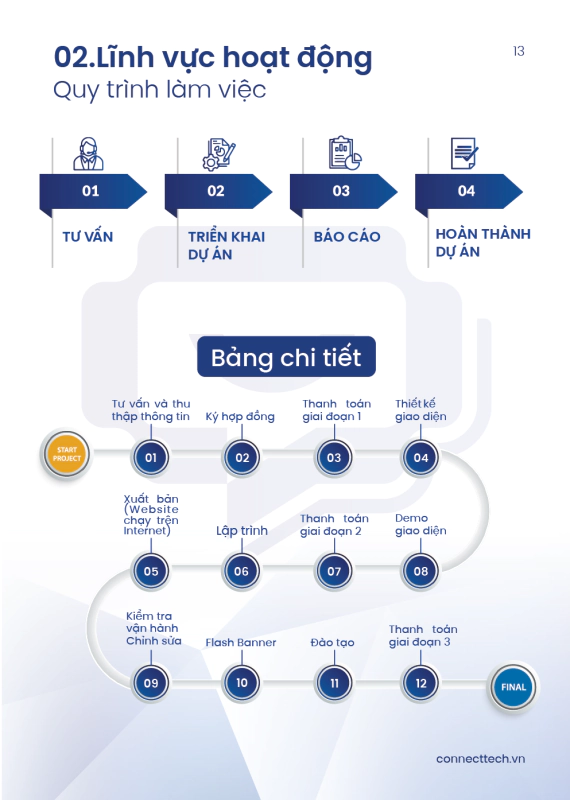
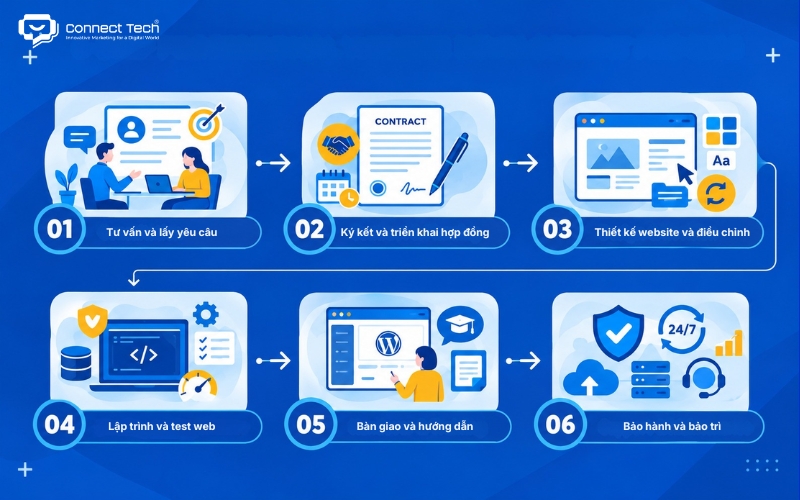
Connect Tech applies a strict 6-step implementation process, ensuring the project is executed accurately, on schedule, and meets all technical requirements set forth.
- Consultation and Requirement Gathering: Detailed analysis of the business problem, target customer persona, and expected user behavior flow.
- Contract Signing & Execution: Both parties agree on the scope of work, technical features, investment costs, and deployment schedule via legal documents.
- Website Design and Revisions: The design team drafts the structure (Wireframe) and builds the User Interface/User Experience (UI/UX), continuously updating based on client feedback.
- Website Programming and Testing: Engineers proceed to write code (Front-end & Back-end), set up the management system, and conduct comprehensive testing on performance, security features, and technical SEO.
- Handover and Admin Training: The team hands over the complete source code and concurrently organizes detailed training on how to manage the Content Management System (CMS) for the business's personnel.
- Warranty and Maintenance: Connect Tech maintains 24/7 technical support, performs continuous automated data backups, and commits to a lifetime warranty to ensure the system operates stably in the long term.
Frequently Asked Questions (FAQ)
The popular questions below will help businesses resolve technical and operational concerns before deciding to invest in the system.
Is a WordPress website highly secure?
The WordPress core source code itself is highly secure and is continuously updated by a global team of engineers to patch vulnerabilities. Data leak risks usually only arise when administrators use Themes or Plugins from unknown sources or neglect routine system version updates. Administrators can establish a solid defense system by integrating SSL certificates, installing Web Application Firewall (WAF) software like Wordfence, and setting up Two-Factor Authentication (2FA).
What support does Connect Tech provide after handover?
We provide comprehensive post-deployment accompaniment services. Clients receive 24/7 technical support, automated periodic data backup processes, a lifetime system warranty, and free consulting sessions for their next Digital Marketing development strategies.
Is it easy to upgrade features later on a WordPress website?
Thanks to its open system architecture, this platform allows businesses to scale without limits. As your business scale expands, you can easily request the programming of new features, integrate management software (ERP, CRM), or expand into complex e-commerce ecosystems without needing to tear down the old system.
Designing a WordPress website is an excellent approach for businesses looking to build an online platform for their brand. However, without specialized knowledge, DIY implementation might save initial costs but brings massive subsequent consequences that require fixing. Therefore, investing in a professional website design solution is a strategic choice.
If you are looking for a reliable partner to build an SEO-standard, conversion-optimized website system that is easy to scale in the future, contact Connect Tech today to receive the most suitable technology solution.
—----------------------------
Connect Tech provides custom website design solutions, combining technology, SEO, and Digital Marketing so your website can grow alongside your business. Contact Connect Tech to consult on a solution tailored to your operational model and business goals.
Connect Tech - Web Design Agency
Innovative Marketing for a Digital World
Hotline: 077 317 5996
Email: info@connecttech.vn
Table of Contents
Related news
Professional SEO-Optimized E-commerce Website Design
Professional SEO-optimized e-commerce website design with an optimized user experience, payment, order management, and operations. Full-service e-commerce website design tailored to your needs.
Custom SEO-Optimized WordPress Website Design Solutions
WordPress website design guide. Providing professional web design services to help businesses optimize UX and boost conversion rates. Get a quote now!
Complete SEO-Friendly Custom Corporate Website Design
Complete corporate website design with professional UX/UI, SEO optimization, and conversion-focused solutions. Explore Connect Tech’s pricing and services.
Professional & Affordable Real Estate Website Design to Increase Closing Rates
Professional, affordable real estate website design optimized for UX/UI, SEO, speed, and functionality — helping businesses build credibility, generate leads, and increase conversion rates.
Why Does a Website Have No Traffic? Causes & Effective Solutions
Why does your website have no traffic? Connect Tech analyzes the five most common causes and provides practical solutions to help your website generate sustainable organic traffic. Contact us for expert consultation today!
Website Lead Generation: How Many Leads Per Month? Calculation Formula
How many leads should your website generate each month? Connect Tech explains the lead calculation formula, industry benchmarks, and proven strategies to optimize your website for sustainable lead generation and higher conversions.