Loading Table of Contents...
Top 27 AI Tools for Learning, Work, and Research
Quick Summary
Collapse
Discover 27 leading AI tools for content, SEO, images, video, coding, research, and automation, with key strengths, limitations, and use cases.
Every AI tool has its own strengths, so the right choice should start with the problem you actually need to solve. AI can now help users ask questions, generate text, research information, analyze documents, create images, produce videos, write code, and automate everyday tasks.
Connect Tech has selected 27 notable platforms based on their practical applications and suitability for different types of users.
|
|
|
|
|
|
|
|
|
|
|
|
|
|
|
|
|
|
|
|
|
|
|
|
|
|
|
|
|
|
|
|
|
|
|
|
|
|
|
|
|
|
|
|
|
|
|
|
|
|
|
|
|
|
|
|
|
|
|
|
|
|
|
|
|
|
|
|
|
|
|
|
|
|
|
|
|
|
|
|
|
|
|
|
|
|
|
|
|
|
|
|
|
|
|
|
|
|
|
|
|
|
|
|
|
|
|
|
|
|
|
|
|
|
|
|
|
|
|
|
|
|
|
|
|
|
|
|
|
|
|
|
|
|
|
|
|
|
|
|
|
|
|
|
|
|
|
|
|
|
|
|
|
|
|
|
|
|
|
|
|
|
|
|
|
|
|
|
1. ChatGPT – A Versatile AI Tool for Work and Creativity
ChatGPT is a strong choice for users who want to start with one platform that can handle many different types of tasks. It can answer questions, search the web, conduct in-depth research, read documents, analyze data, process images, help with coding, and generate content. Users can upload PDFs, spreadsheets, or images and ask the system to summarize, explain, or transform the information into a new output.
In marketing, ChatGPT is commonly used as an AI content writing tool for topic research, outline creation, drafting, tone adjustment, and adapting content for different channels. However, writers should still verify facts, brand consistency, and search intent before publishing.
ChatGPT is also beginner-friendly because users can get started without needing deep technical knowledge. Those looking for free AI options can begin with the basic plan and upgrade later when they need stronger models, higher usage limits, or more advanced features.
- Best for: marketers, content writers, office workers, developers, students, freelancers, and businesses.
- Strengths: versatile, easy to use, and capable of handling many data formats.
- Limitations: responses may still contain inaccuracies or lack important context.
- Choose it when: you want a general-purpose AI assistant before investing in more specialized tools.
2. Google Gemini – An AI Assistant Built Around the Google Ecosystem
Google Gemini is well suited to users who regularly work with Gmail, Drive, Docs, Sheets, and other Google products. Gemini can now process text, images, files, data, and a wide range of multimodal tasks. Users can ask it to research a topic, analyze documents, or help create content without constantly switching between different applications.
Gemini is also evolving beyond a traditional AI chatbot into a broader workspace. The platform can create and edit documents, spreadsheets, presentations, PDFs, and code directly within the conversation.
Its connection to Google Workspace gives Gemini a clear advantage for office users and businesses that already rely on Google services.
- Best for: office workers, marketers, students, businesses, and Google Workspace users.
- Strengths: strong multimodal capabilities and close integration with Google services.
- Limitations: some advanced features depend on account plans and regional availability.
- Choose it when: most of your documents and daily work already live inside the Google ecosystem.

3. Claude – A Strong AI Assistant for Writing and Long-Form Analysis
Claude is a good fit for users who need to read, analyze, or develop long and complex pieces of content. Developed by Anthropic, Claude is particularly strong at context handling, reasoning, coding, and knowledge work. It is especially useful when users provide a large volume of documents and ask the system to summarize, compare, or create new content from those sources.
For marketers, Claude can also serve as an AI tool for SEO tasks such as search intent analysis, idea clustering, content structure development, and coherence checking. However, AI should not replace real keyword data or professional SEO judgment.
Claude often produces natural-sounding writing, making it suitable for blog posts, professional documents, reports, and content that needs a consistent line of reasoning.
- Best for: content writers, SEO professionals, researchers, developers, and consultants.
- Strengths: strong long-document processing, natural writing, and analytical capabilities.
- Limitations: some models and higher usage limits are available only on paid plans.
- Choose it when: writing quality and long-context analysis matter most.

4. DeepSeek – A Strong Option for Reasoning and Programming
DeepSeek is suitable for developers and users who need help with technical problems, programming, or multi-step reasoning. DeepSeek develops models focused on coding, reasoning, and agent-based workflows. Developers can use its chat interface or API to integrate models into websites, software, and internal workflows.
It is also a notable AI software option for technical teams that need to balance performance, integration capabilities, and operating costs. DeepSeek may not be the first choice for users who only need basic email writing or simple content creation, but it becomes much more relevant when the task involves code or technical systems.
- Best for: developers, technology startups, technical teams, and businesses that need API integration.
- Strengths: coding, reasoning, and integration capabilities.
- Limitations: general users may not take full advantage of its technical strengths.
- Choose it when: programming or integrating AI models into a product is your primary requirement.
5. Perplexity – An AI Search and Research Platform with Citations
Perplexity is useful for users who want to search the internet while still being able to see where the information comes from. Unlike traditional search engines that mainly return a list of links, Perplexity can read multiple sources, summarize information, and provide answers with citations. This approach helps researchers and content writers reduce the time spent opening multiple tabs during the early stages of research.
Among AI tools designed for research, Perplexity stands out by combining real-time search with language models. Users should still open the original sources to verify figures, dates, and context before citing the information.
- Best for: researchers, marketers, SEO professionals, content writers, and users who regularly need current information.
- Strengths: fast research, visible sources, and strong support for information discovery.
- Limitations: AI-generated summaries should not replace reading the original source.
- Choose it when: you need quick research but still want to verify where the information comes from.

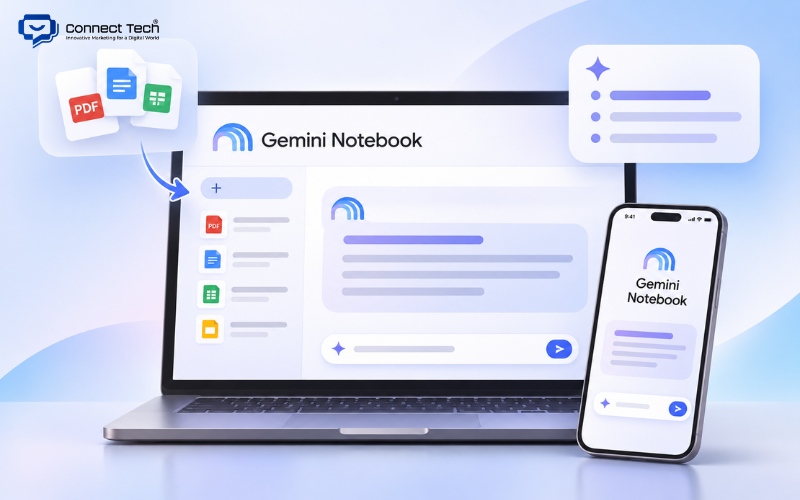
6. Gemini Notebook – An AI Research Assistant Built Around Your Sources
Gemini Notebook is suitable for users who already have a collection of documents and want to extract information from them more efficiently. Google renamed NotebookLM to Gemini Notebook in 2026. The platform continues to focus on source-based research, allowing users to upload documents and then ask questions, compare information, or request summaries.
This AI application is particularly useful for people who need to work through reports, training materials, project documentation, or long research sources. Because the system focuses on the materials provided by the user, it is easier to keep the output within a defined information scope.
- Best for: students, researchers, content writers, training teams, and businesses.
- Strengths: works directly from specific source materials.
- Limitations: the quality of the results depends heavily on the quality of the source documents.
- Choose it when: you have many files to read, compare, and summarize.
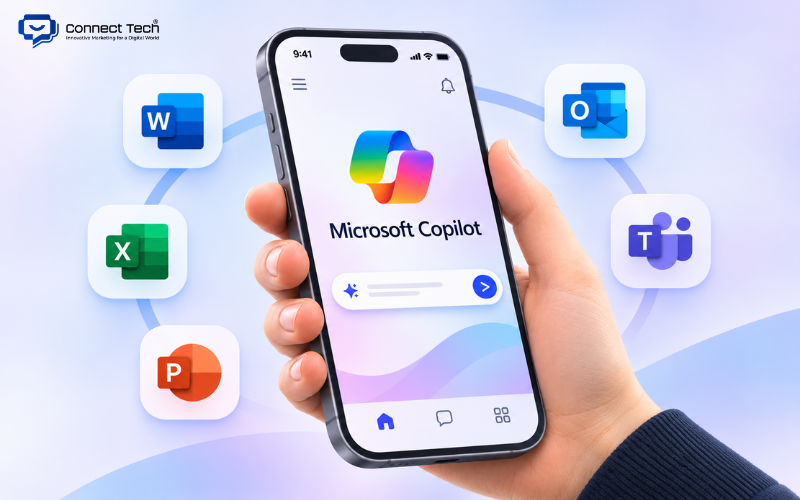
7. Microsoft Copilot – An AI Assistant for Microsoft 365 Workflows
Microsoft Copilot is best suited to businesses that use Word, Excel, PowerPoint, Outlook, and Teams in their daily work.
Copilot can help draft documents in Word, analyze data in Excel, build presentations, and summarize information from Microsoft 365. This allows users to bring AI directly into their existing workflow instead of creating a completely separate working environment.
Microsoft has also expanded Copilot toward agent-based use cases, allowing organizations to build assistants that can perform certain tasks based on the data and permissions they are given.
- Best for: businesses, office workers, managers, and organizations using Microsoft 365.
- Strengths: deep integration with the Microsoft ecosystem.
- Limitations: its value is lower for organizations that do not use Microsoft as their main working environment.
- Choose it when: Word, Excel, Outlook, and Teams are already part of your everyday workflow.
8. Notion AI – An AI Assistant for Knowledge and Workspace Management
Notion AI is suitable for teams that store documents, projects, and internal knowledge in Notion. The platform can help users search workspace information, summarize documents, work with databases, take meeting notes, and perform tasks based on team data.
The main advantage of Notion AI is its access to internal context. When a business already stores most of its knowledge in Notion, the assistant can work directly with that knowledge base instead of requiring employees to move documents into another platform.
- Best for: startups, agencies, content teams, project teams, and businesses managing internal knowledge in Notion.
- Strengths: direct connection to workspace data.
- Limitations: it provides less value if Notion is only used as a simple note-taking app.
- Choose it when: Notion has already become your team's main knowledge hub.
9. Canva AI – An Easy-to-Use AI Design Assistant for Marketers
Canva AI is suitable for users who want to create visual content quickly without mastering Photoshop or professional design software. Canva supports the creation and editing of social posts, presentations, banners, images, videos, and many other marketing formats. Users can start with a prompt and then edit individual elements directly inside the familiar Canva editor.
Canva's biggest advantage lies in its workflow. Marketers can move from idea to finished design without learning several different software tools.
- Best for: marketers, social media teams, small businesses, creators, and non-designers.
- Strengths: easy to use, a large template library, and support for many content formats.
- Limitations: complex graphic design projects may still require more advanced software.
- Choose it when: speed and easy editing are your main priorities.
10. Midjourney – A High-Quality AI Image Generation Platform
Midjourney is suitable for users who need visuals with strong aesthetics, clear creative direction, and distinctive concepts. It is commonly used for concept art, illustration, advertising visuals, moodboards, and brand ideas. Users can control style through prompts, reference images, and personalization.
Among AI image generators, Midjourney is particularly suitable for creative concepts rather than workflows focused mainly on templates or quick layout production.
- Best for: designers, creative directors, marketers, illustrators, and content creators.
- Strengths: high-quality visuals and strong style development.
- Limitations: beginners may need time to learn how to describe images effectively.
- Choose it when: visual quality and creative direction are more important than template-based design.
11. Adobe Firefly – A Generative AI Assistant for the Adobe Ecosystem
Adobe Firefly is suitable for designers who want to use generative capabilities directly within Photoshop and other Adobe products. Firefly supports image generation, generative editing, adding or replacing visual elements, expanding images, and other creative tasks. Adobe is also continuing to expand Firefly into video and audio.
Firefly's main advantage is what happens after generation. Designers can use the result as creative material and continue refining it in professional Adobe software.
- Best for: graphic designers, photographers, agencies, and marketing teams using Adobe.
- Strengths: integrates well into professional design workflows.
- Limitations: the Adobe ecosystem offers more functionality than most general users need.
- Choose it when: Photoshop or other Adobe products are already central to your workflow.
12. Ideogram – An AI Image Tool with Strong Typography Capabilities
Ideogram is suitable for designs that need clear, readable text directly inside the image. The platform is widely used for posters, banners, logo concepts, social visuals, and typography-based designs. This helps Ideogram stand out from many image models that often generate distorted or incorrect text.
Ideogram is especially useful when users want to combine visuals with slogans, headlines, or advertising messages during the image generation process.
- Best for: marketers, graphic designers, branding teams, and print-on-demand sellers.
- Strengths: typography and text-based visual layouts.
- Limitations: for purely artistic imagery, some users may prefer Midjourney's visual style.
- Choose it when: text is an important part of the final visual.
13. Runway – An AI Video Platform for Creative Workflows
Runway is suitable for creators who want to generate movement from text or images without filming every scene themselves. Runway supports text-to-video, image-to-video, and various forms of generative video editing. Users can describe movement, camera direction, or actions to develop a scene from an initial idea.
Among AI video generation tools, Runway stands out because it offers more than simple clip generation and provides a broader creative production workflow.
- Best for: filmmakers, creative agencies, marketers, and video creators.
- Strengths: strong control over motion and visual output.
- Limitations: repeated video generation can consume credits quickly.
- Choose it when: you need more control over generated scenes than a basic video app can provide.
14. Google Veo – Google's AI Video Generation Model
Google Veo is suitable for users who want to create high-quality video within Gemini and other Google products. Veo supports video generation from prompts, images, and reference elements. The model can generate motion, scenes, and audio across different workflows.
Google is integrating Veo into Gemini, Flow, Google Vids, and APIs, giving both developers and creators multiple ways to use the technology.
- Best for: creators, marketers, filmmakers, and developers.
- Strengths: video quality and integration with the Google ecosystem.
- Limitations: quotas, resolution, and access vary depending on the product or plan.
- Choose it when: you already use Gemini or want to access generative video through Google's ecosystem.
15. HeyGen – An AI Platform for Avatar and Presenter Videos
HeyGen is suitable for businesses that want presenter-style videos without recording a new video every time the script changes.
Users can choose an avatar, add a script, and create videos with facial movement and lip-sync. HeyGen also supports translation and dubbing, allowing one video to be adapted into multiple languages. This makes it useful for onboarding, training, sales, product introductions, and international marketing.
- Best for: sales teams, trainers, marketers, and businesses.
- Strengths: avatars, dubbing, and localization.
- Limitations: avatar videos cannot fully replace the emotional expression of a real presenter.
- Choose it when: your business needs to produce many presenter-led videos through a repeatable workflow.
16. CapCut AI – An AI-Powered Video Editor for Social Media
CapCut AI is suitable for creators who want to generate and edit short-form video within the same application. CapCut supports automatic captions, background removal, script-to-video, image-to-video, voice features, and many other intelligent editing tools. It is particularly accessible for users creating TikTok, Reels, or Shorts content.
CapCut's strength lies in combining generation with editing. Users can create content and then continue adjusting scenes, subtitles, music, and aspect ratios before publishing.
- Best for: social media executives, creators, marketers, and beginner video editors.
- Strengths: easy to learn and well suited to social media content.
- Limitations: professional post-production projects may still require more advanced editing software.
- Choose it when: you need a fast video workflow for social media.
17. ElevenLabs – An AI Platform for Natural Voice Generation
ElevenLabs is suitable for users who need voice-over for videos, podcasts, games, or digital products. The platform supports text-to-speech, voice cloning, dubbing, transcription, and real-time conversational workflows. Newer generations of its models place a strong emphasis on emotion, tone, pacing, and voice control.
ElevenLabs is particularly useful when businesses need multiple audio versions without recording everything again from scratch.
- Best for: creators, podcasters, developers, game studios, and marketers.
- Strengths: natural-sounding voices and a wide range of voice options.
- Limitations: voice cloning should only be used with proper rights and consent.
- Choose it when: voice quality is an important part of your final product.
18. Suno – An AI Music Generation Platform
Suno is suitable for users who want to create songs or background music without knowing how to play an instrument. Users can describe a style or theme, or provide lyrics, and let the system generate a complete track. Suno also supports editing, remixing, and developing music from audio or other reference material.
The platform is useful for quickly testing soundtracks, demos, or social content concepts.
- Best for: musicians, creators, video editors, and marketers.
- Strengths: easy music generation without requiring advanced production skills.
- Limitations: commercial usage rights should be checked based on the current plan and terms.
- Choose it when: you want to test music ideas before investing in full production.
19. Gamma – An AI Tool for Fast Presentation Creation
Gamma is suitable for users who already have an idea or outline but do not want to spend hours designing individual slides. Gamma can turn prompts, documents, or rough content into presentations with a structured layout. Users can then edit the content, visuals, and presentation style.
Among AI presentation tools, Gamma works well for sales teams, startups, and office workers who need to create polished decks quickly.
- Best for: sales professionals, consultants, marketers, startups, teachers, and students.
- Strengths: speed and automatic layout generation.
- Limitations: important presentations still require human review of storytelling and data.
- Choose it when: you want to turn existing content into a presentation quickly.
20. DeepL – An AI Platform for Translation and Language Work
DeepL is suitable for businesses and users who regularly work across multiple languages. Its ecosystem includes Translator, Write, Voice, APIs, and integrations. Users can translate text or documents, improve writing, build glossaries, and standardize brand terminology.
DeepL is particularly useful for localization because organizations can maintain consistent terminology across multiple documents.
- Best for: international businesses, translators, content teams, and customer service.
- Strengths: translation and specialized language workflows.
- Limitations: available languages and features vary across products.
- Choose it when: translation and localization are frequent parts of your work.
21. Cursor – An AI-Powered Code Editor
Cursor is suitable for developers who want AI assistance directly inside their coding environment. Cursor's agent can read a codebase, find files, modify multiple parts of a project, run terminal commands, debug, refactor, and help write tests. Developers can describe a goal in natural language and then review all changes before accepting them.
Among AI coding tools, Cursor stands out because the AI works directly inside the development environment instead of simply generating code snippets for users to copy.
- Best for: developers, startups, engineering teams, and technical founders.
- Strengths: codebase awareness and support for multi-step coding tasks.
- Limitations: generated code still requires review, testing, and security checks.
- Choose it when: you want AI to become part of your everyday coding workflow.
22. GitHub Copilot – An AI Coding Assistant Integrated with GitHub
GitHub Copilot is suitable for developers and teams that manage code through GitHub. Copilot started with code completion but has expanded into chat and coding-agent workflows. Developers can delegate tasks to an agent that works on the repository, makes changes, and creates pull requests for human review.
Its direct integration with issues, repositories, and IDEs makes Copilot especially suitable for collaborative software development.
- Best for: individual developers, software teams, and businesses using GitHub.
- Strengths: strong integration with repositories and pull request workflows.
- Limitations: output still needs to be reviewed just like code written by a human.
- Choose it when: GitHub is already at the center of your software development process.
23. Jasper – An AI Content Platform for Marketing Teams
Jasper is suitable for businesses that need to produce content at scale while maintaining a consistent brand voice. The platform allows teams to define brand information, audiences, style guides, and knowledge bases so generated content better reflects the organization's context.
Jasper's main difference lies in content governance at team level rather than simply helping one person write.
- Best for: agencies, marketing departments, content teams, and multi-brand businesses.
- Strengths: brand governance and marketing-focused workflows.
- Limitations: individuals and small businesses may not need its full governance system.
- Choose it when: multiple team members create content and need to keep brand communication consistent.
24. Zapier – An AI-Powered App Integration and Automation Platform
Zapier is suitable for businesses that want to connect the software they already use without building every integration from scratch. Users can create workflows based on triggers and actions, such as receiving a website form, updating a CRM, sending an email, creating a task, and notifying a team member.
This makes AI automation useful for businesses because workflows can combine fixed automated steps with steps that require content processing or data-based decisions.
- Best for: marketing, sales, operations, SMEs, and businesses using multiple SaaS platforms.
- Strengths: a large integration ecosystem and accessibility for non-developers.
- Limitations: larger workflows can generate more tasks and higher costs.
- Choose it when: you need to connect several cloud applications quickly.
25. n8n – A Flexible Platform for Advanced Workflow Automation
n8n is suitable for businesses and technical teams that need greater control over logic, APIs, and data during automation. The platform allows users to build workflows with visual nodes while still offering technical customization when needed. Developers can connect APIs, databases, webhooks, language models, and external services within the same flow.
n8n also supports AI Agent capabilities, allowing a system to use approved tools or workflows to complete multi-step goals. The workflow builder still controls the logic and which components the agent is allowed to access.
- Best for: developers, technical teams, automation agencies, and businesses that need custom workflows.
- Strengths: flexibility, self-hosting support, and strong workflow control.
- Limitations: users without a technical background may need more time to learn the platform.
- Choose it when: your business workflows are more complex than basic no-code automation.
26. FPT AI – An AI Ecosystem for Vietnamese Businesses
FPT AI is suitable for businesses that need Vietnamese-language AI solutions for operations and customer service. Its ecosystem includes conversational AI, voice solutions, document processing, eKYC, and other enterprise products. An AI chatbot used in customer service, for example, can be connected with internal data and workflows to support customers at scale.
A major advantage is that the products are developed with Vietnamese-language use cases in mind, giving local businesses another option alongside international platforms.
- Best for: banks, insurers, retailers, call centers, and Vietnamese businesses.
- Strengths: Vietnamese-language capabilities and B2B use cases.
- Limitations: it is not primarily designed as a general-purpose chatbot for individual users.
- Choose it when: your business needs to implement AI into a specific operational process in Vietnam.
27. Elicit – An AI Assistant for Academic Research
Elicit is suitable for users who need to find, screen, and summarize academic papers rather than research the general web. The platform supports paper discovery, literature screening, data extraction, and systematic reviews. Users can inspect the sources supporting the information generated by the system instead of relying only on a general answer.
Elicit is therefore more suitable than Perplexity when the main goal is literature review or academic research.
- Best for: students, postgraduate researchers, lecturers, and academic researchers.
- Strengths: focused on research papers and structured research workflows.
- Limitations: it is less suitable for marketing research or general market information.
- Choose it when: academic sources and a structured research process are important requirements.
When choosing an AI tool, you do not need to start with ten platforms at once. A general-purpose assistant such as ChatGPT, Gemini, or Claude is often enough in the beginning. You can then add specialized solutions when you develop clearer needs around design, video, coding, research, or automation.
For businesses, AI usually creates more value when it connects directly with websites, CRM systems, internal software, and operational data. Connect Tech can help businesses assess their needs, build websites, integrate APIs, and develop workflows that fit existing systems instead of relying on multiple disconnected platforms

Table of Contents